
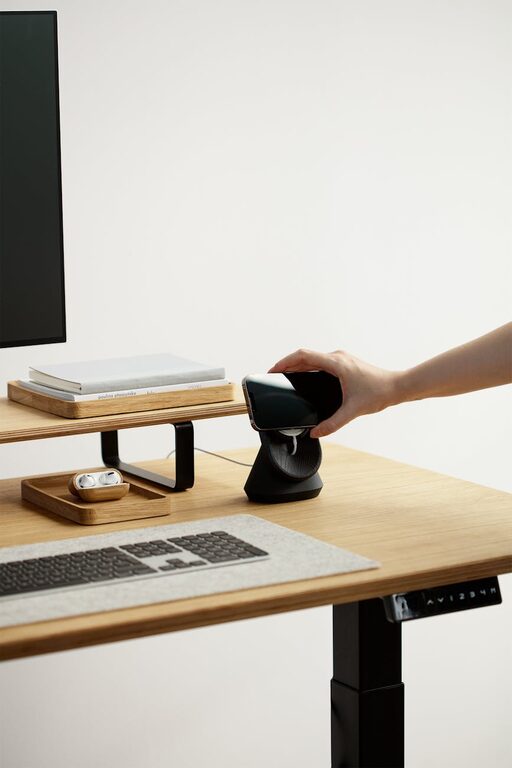
Creating a relaxing home workspace is essential for maintaining productivity and well-being, especially as more people spend time working remotely. A calm and organized environment can help reduce stress, improve focus, and make your daily tasks more enjoyable. In this post, we’ll explore practical steps to design a workspace that feels inviting and supports your best work.
Why a Relaxing Workspace Matters
Your environment affects how you feel and perform. A cluttered or distracting space can increase anxiety and reduce concentration. By contrast, a well-designed, relaxing workspace encourages calmness and clarity. This leads to better work quality and a happier mindset.
Step 1: Choose the Right Location
Finding the best spot in your home is key. Consider these tips:
– Natural Light: Set up near a window if possible. Natural light boosts mood and energy.
– Privacy: Pick a quiet area away from household noises to minimize interruptions.
– Space: Make sure there’s enough room for your desk, chair, and equipment without feeling cramped.
Step 2: Invest in Comfortable Furniture
Comfort greatly affects how long you can work without strain.
– Ergonomic Chair: Choose a chair with good lumbar support and adjustable height.
– Desk Size: Ensure your desk has enough surface for your laptop, notebook, and other essentials.
– Adjustable Options: Consider desks that allow standing and sitting to change posture during the day.
Step 3: Declutter and Organize
A clutter-free workspace promotes clear thinking. Here’s how to get started:
– Limit Desk Items: Keep only daily-use supplies on your desk.
– Use Storage Containers: Bins, drawers, and shelves help keep papers and tools neat.
– Cable Management: Use clips or sleeves to tidy up cords and chargers.
Step 4: Personalize with Calming Elements
Add touches that make your workspace feel peaceful and welcoming.
– Plants: Greenery improves air quality and adds a soothing vibe.
– Soft Lighting: Use lamps or string lights instead of harsh overhead bulbs.
– Color Choices: Choose gentle, neutral tones or pastels on walls or decor to promote relaxation.
Step 5: Minimize Distractions
Keep your focus sharp by reducing interruptions:
– Silence Notifications: Turn off non-essential alerts on your computer and phone.
– Noise Control: Use noise-canceling headphones or white noise machines if needed.
– Separate Work and Leisure: Avoid working in areas tied to relaxation, like the bed or couch.
Step 6: Incorporate Tools for Productivity
Having the right tools helps your work flow smoothly.
– Task Lists: Use planners or digital apps to organize daily goals.
– Time Management: Try techniques like the Pomodoro method to balance work and breaks.
– Inspiration Board: Pin motivational quotes or images to keep you encouraged.
Step 7: Maintain a Routine
A regular schedule supports a calm mindset.
– Dedicated Work Hours: Set clear start and finish times for your workday.
– Breaks: Take short breaks to stretch and refresh your mind.
– End-of-Day Ritual: Spend a few minutes tidying your desk and planning tomorrow’s tasks.
—
Final Thoughts
Designing a relaxing home workspace doesn’t require a huge budget or major renovations. Small changes like organizing your desk, adding plants, and setting clear boundaries can make a big difference. By creating an environment that supports comfort and focus, you’ll find your workday becomes less stressful and more productive.
Try out these ideas and see which ones work best for you. Your ideal workspace is a personal space where relaxation and productivity go hand in hand.